Brevian Product Pulse
How Brevian is evolving to help sales teams move faster and win smarter.
January 29 - February 4, 2026
This week’s updates focused on helping sales teams convert meeting and deal insights into clear documentation and actionable next steps.
Generate and share on-demand reports
In our newly released Deals > Reports page, teams can transform meeting and deal insights into user-friendly documentation. Teams can now quickly generate Mutual Action Plans, Competitive Analysis, and Win Loss reports, based on content pulled directly from a meeting, CRM data, and more. This update helps teams to easily share and standardize information across the sales organization.
See it in action
You simply need to select Create Report:

Then select a report type:
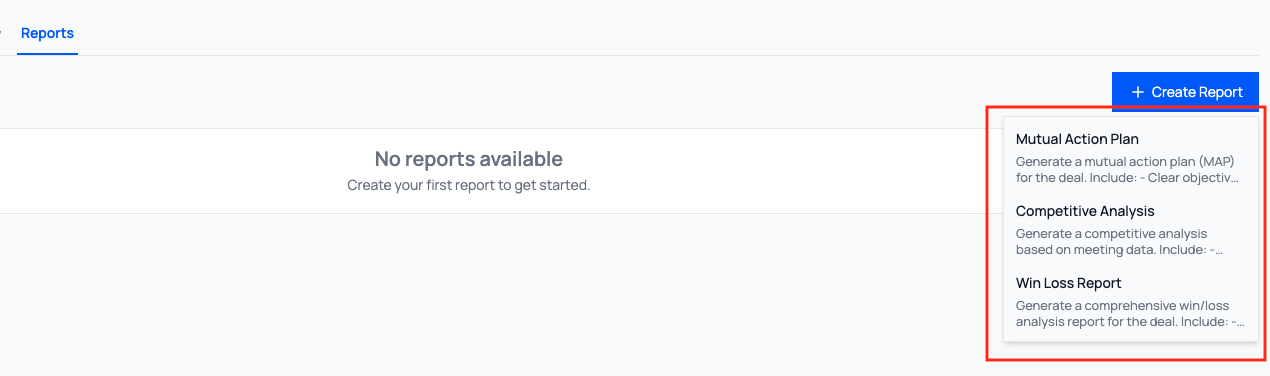
The report will generate and display in the Reports tab:

Stay on top of deal health without manual effort
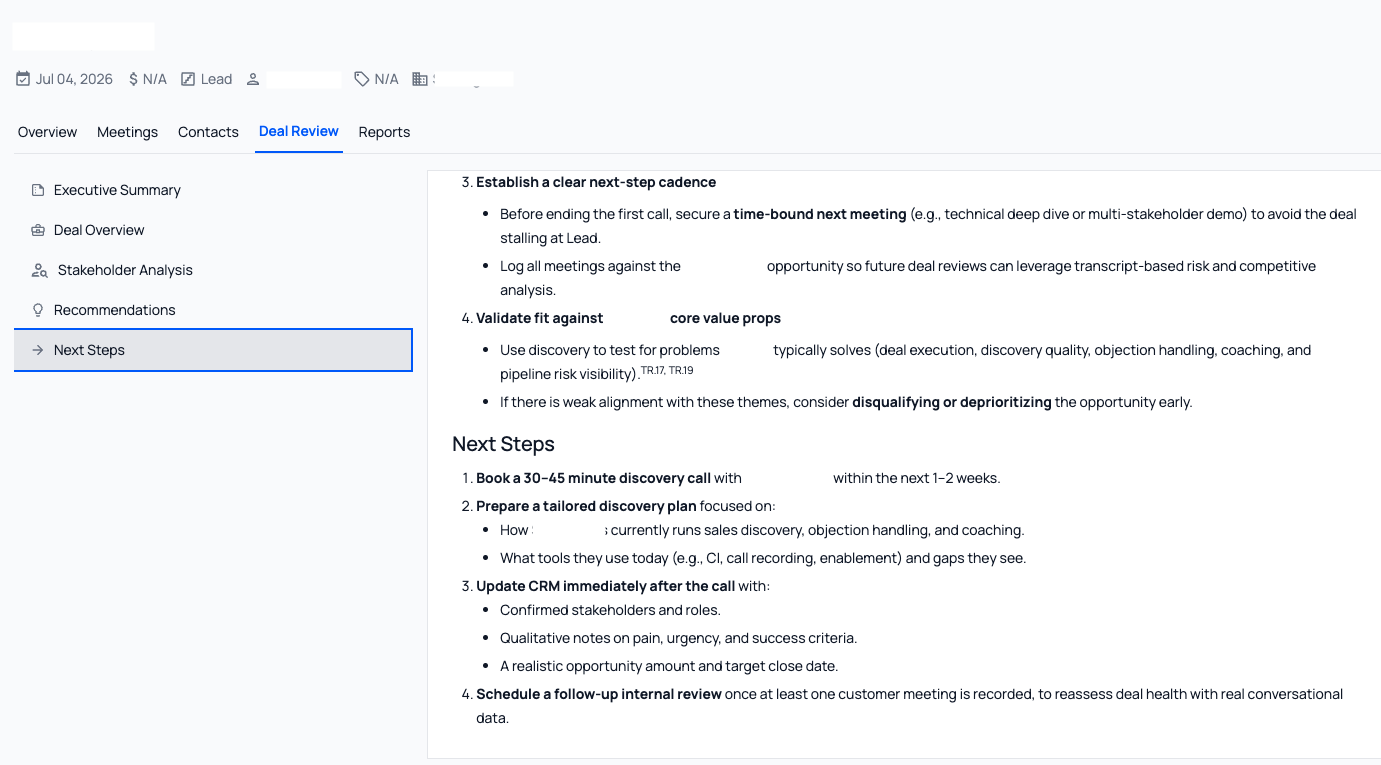
In our newly released Deals > Deal Review page, deal reviews are now generated automatically after meetings, giving teams a consistent, up-to-date view of progress, risks, and next steps without manual effort.
This feature helps sales teams to:
- Quickly assess deal health without searching through various meeting notes
- Stay aligned on risks, momentum, and next steps after every conversation
- Use built-in insights to evaluate opportunities more closely
- Keep deals moving forward with clear next-step guidelines
For each deal review, you can save it as a knowledge base or download a .docx or .md version.
See it in action
For example, when you select Next steps, detailed, customized, and easy-to-follow instructions are generated to help you move your deal forward:
Turn chat conversations into ready-to-share documents
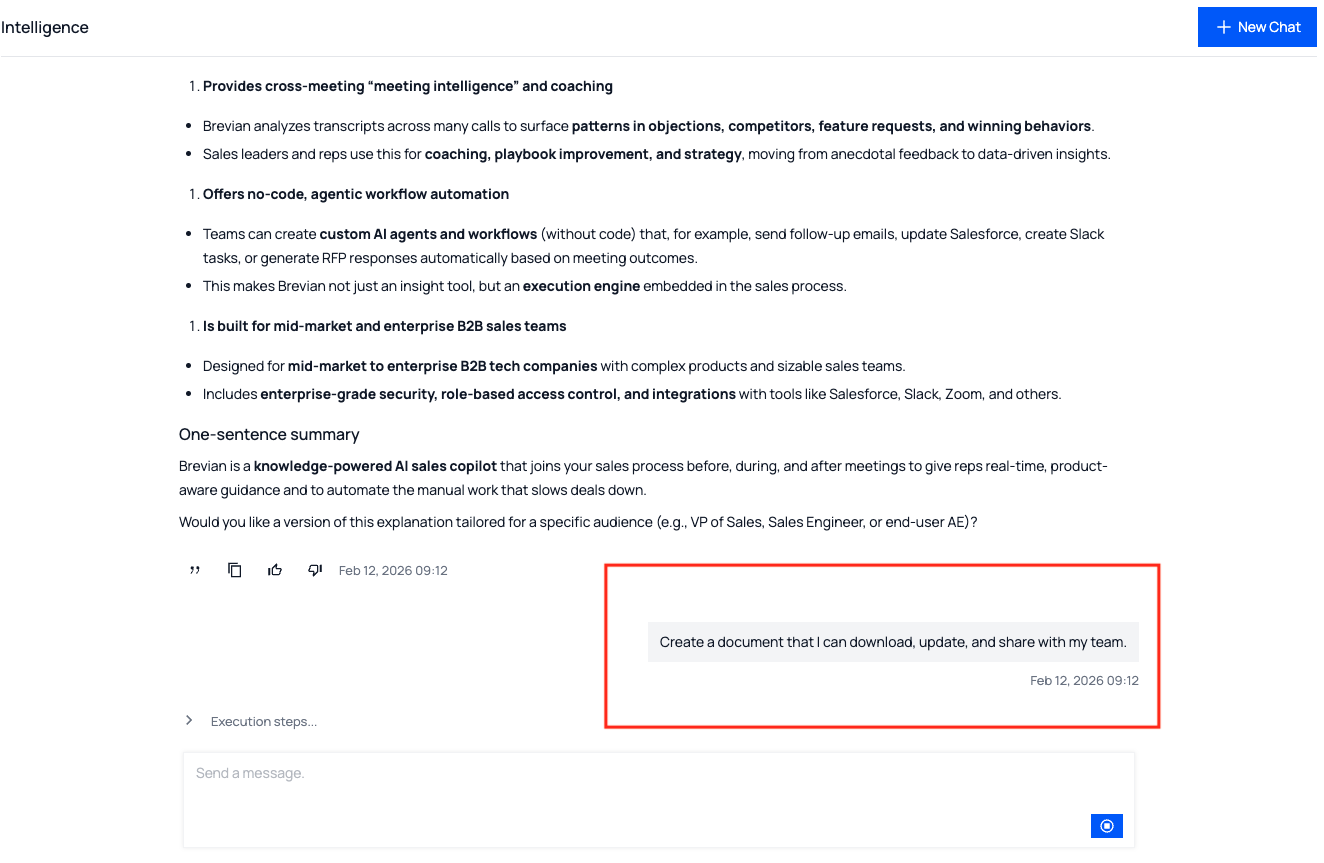
The Chat page is no longer just a place to ask questions; it’s now a resource that can create polished, shareable documents. With this update, you can generate downloadable documents directly from any chat conversation, making it easy to turn insights into reports that you can share with your team.
This update helps you to:
- Turn chat conversations into structured, downloadable documents
- Quickly create shareable documents from knowledge base insights
- Reduce manual work when preparing summaries or stakeholder updates
See it in action
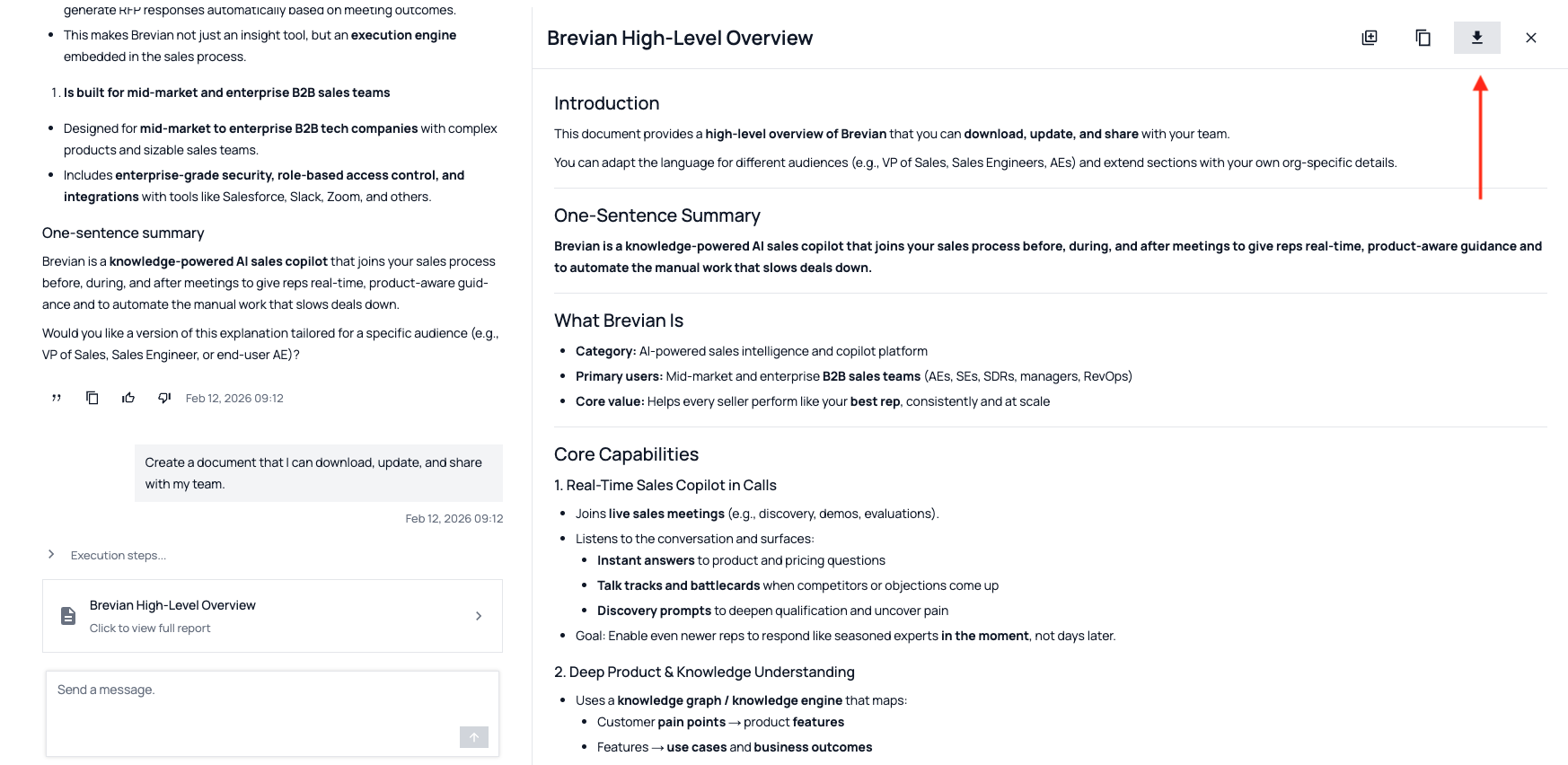
Simpy start a conversation with the chat agent in the Chat page. If you like the response, tell the agent to create a document:
Then review the draft:
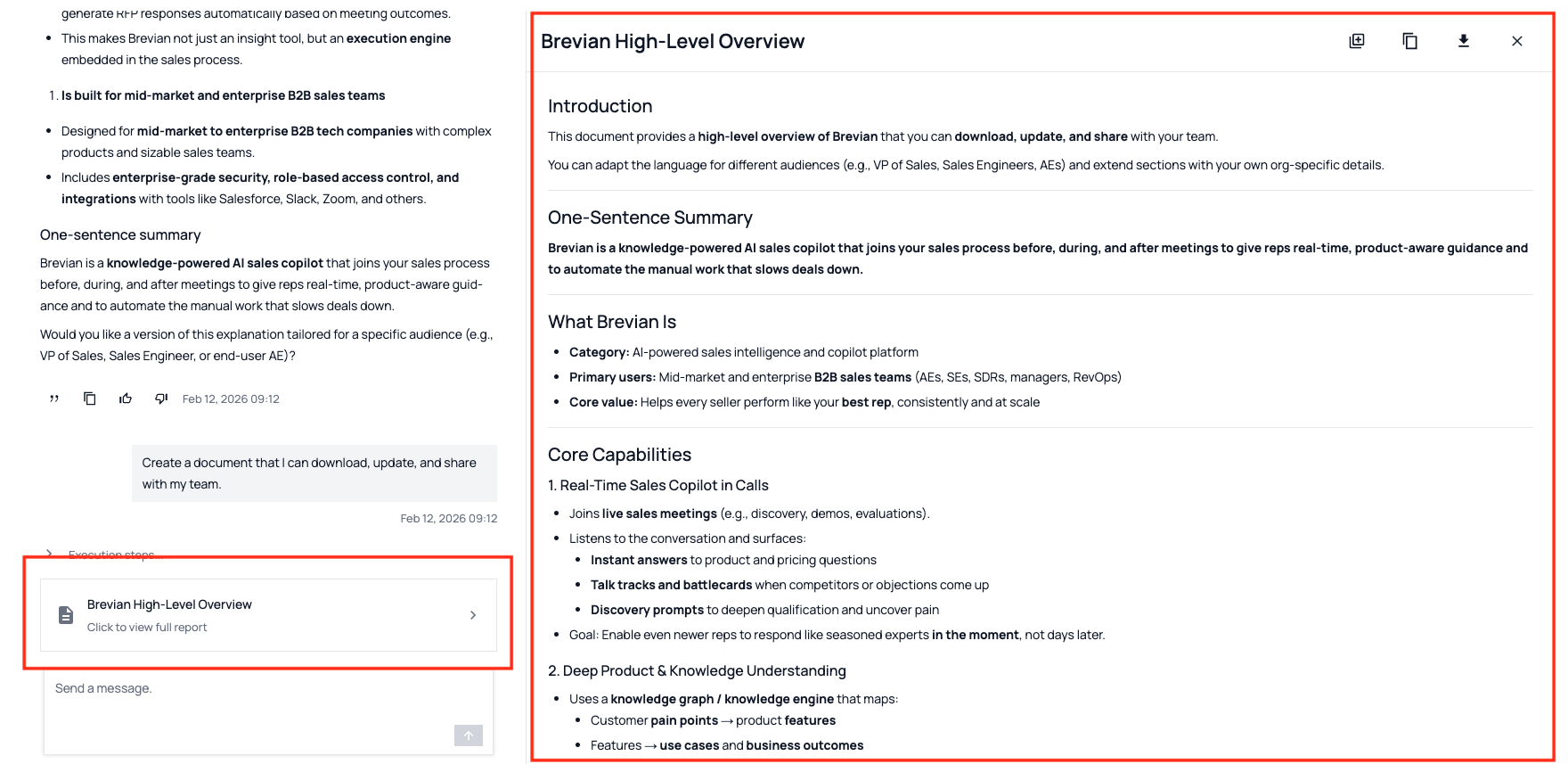
And then download the file:
Additional enhancements across the Brevian app
We’ve continued refining the Brevian experience across the app with the following updates:
- Added icons to the Meetings and Deals table headers to make key columns easier to identify.
- Added a Clear button to the meeting chat so you can quickly reset conversation context during a session.
- Improved accuracy of talking time metrics to better reflect actual participation.
- Enhanced visibility of external participants when creating follow-up emails, making it easier to quickly identify recipients outside your organization.
- Added autocomplete capabilities to follow-up emails, making it easier to quickly add relevant CRM contacts when composing follow-up emails.
- Improved public meeting pages to reliably load for external participants.
- Enhanced speaker names to display more consistently, making shared meeting summaries easier to understand.