Brevian Product Pulse for February 12 - 18, 2026
How Brevian is evolving to help sales teams move faster and win smarter.
Overview
This week’s updates focus on helping teams stay oriented, in control, and ready to act across every customer interaction. We’ve made it easier to decide when Brevian should participate in meetings, quickly understand who’s involved in conversations, and navigate between meetings and deals without losing context.
Additional methods for accessing details for meetings and deals
With this release we have introduced an additional way of accessing details for meetings and deals.
To access details for meetings or details:
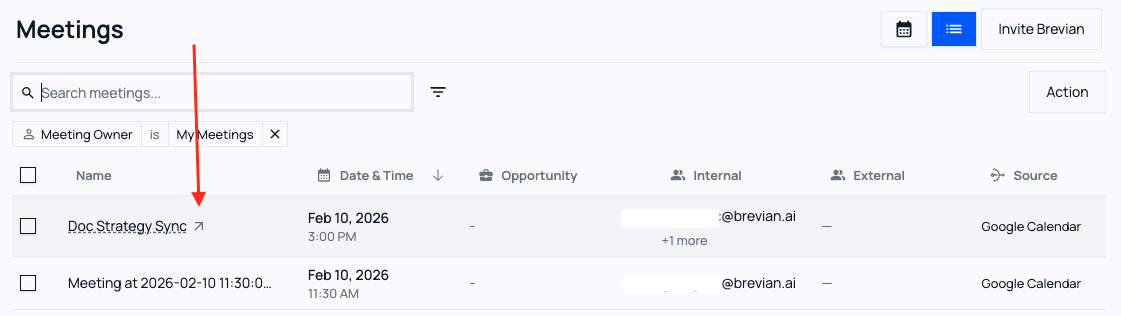
- (Option 1): From the Meetings or Deals page, select the Name of the meeting or deal.
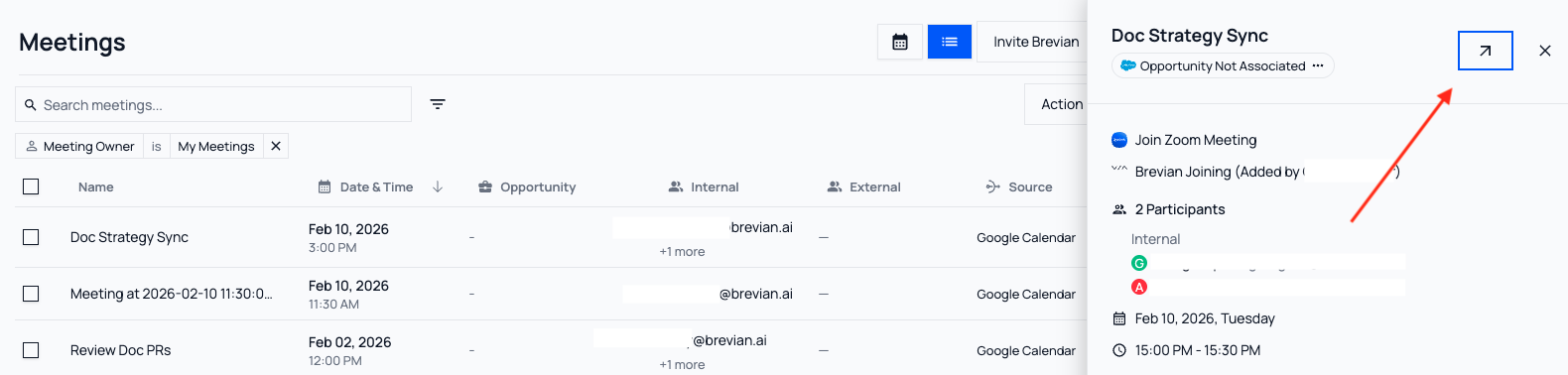
- (Option 2): From the right-side panel for meetings or deals, select the arrow icon.
See it in action
(Option 1): When you hover over the Name column, the arrow icon appears. Select the arrow, and you'll be directed to the details page:
(Option 2): From the right-side panel, select the arrow icon, and you'll be directed to the details page:
Get a clearer view of meeting participants and deal insights
In the Meetings page, we’ve updated a right-side panel with a cleaner layout that makes it easier to quickly see participants, meeting details, and useful links in one place. You can even join the meeting from this view.
See it in action:
When you select a meeting, the right-side panel displays:
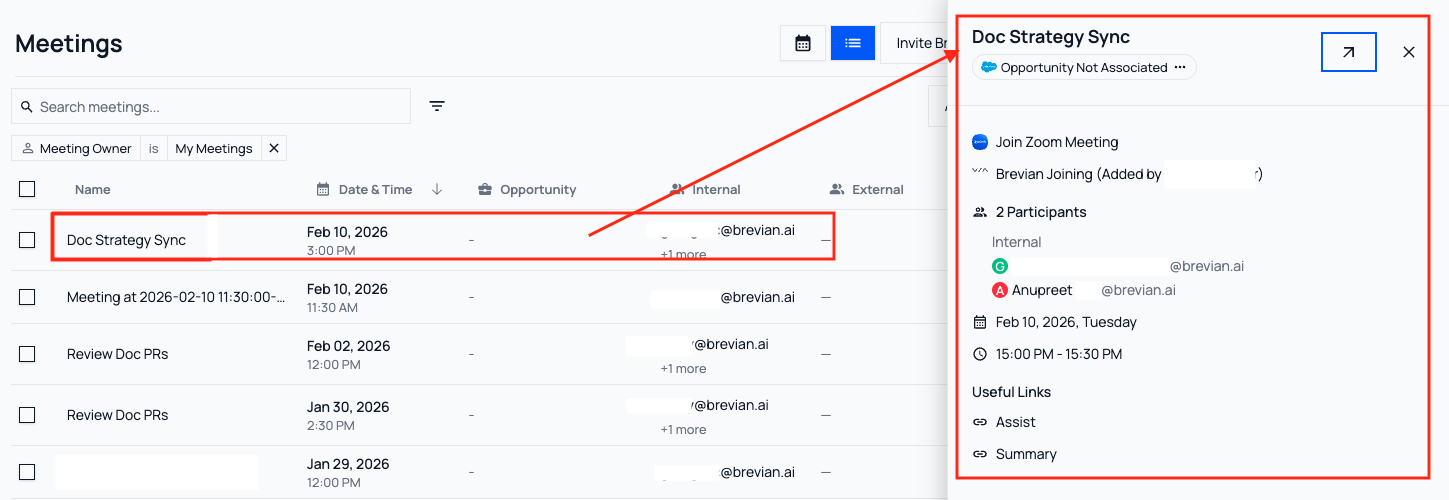
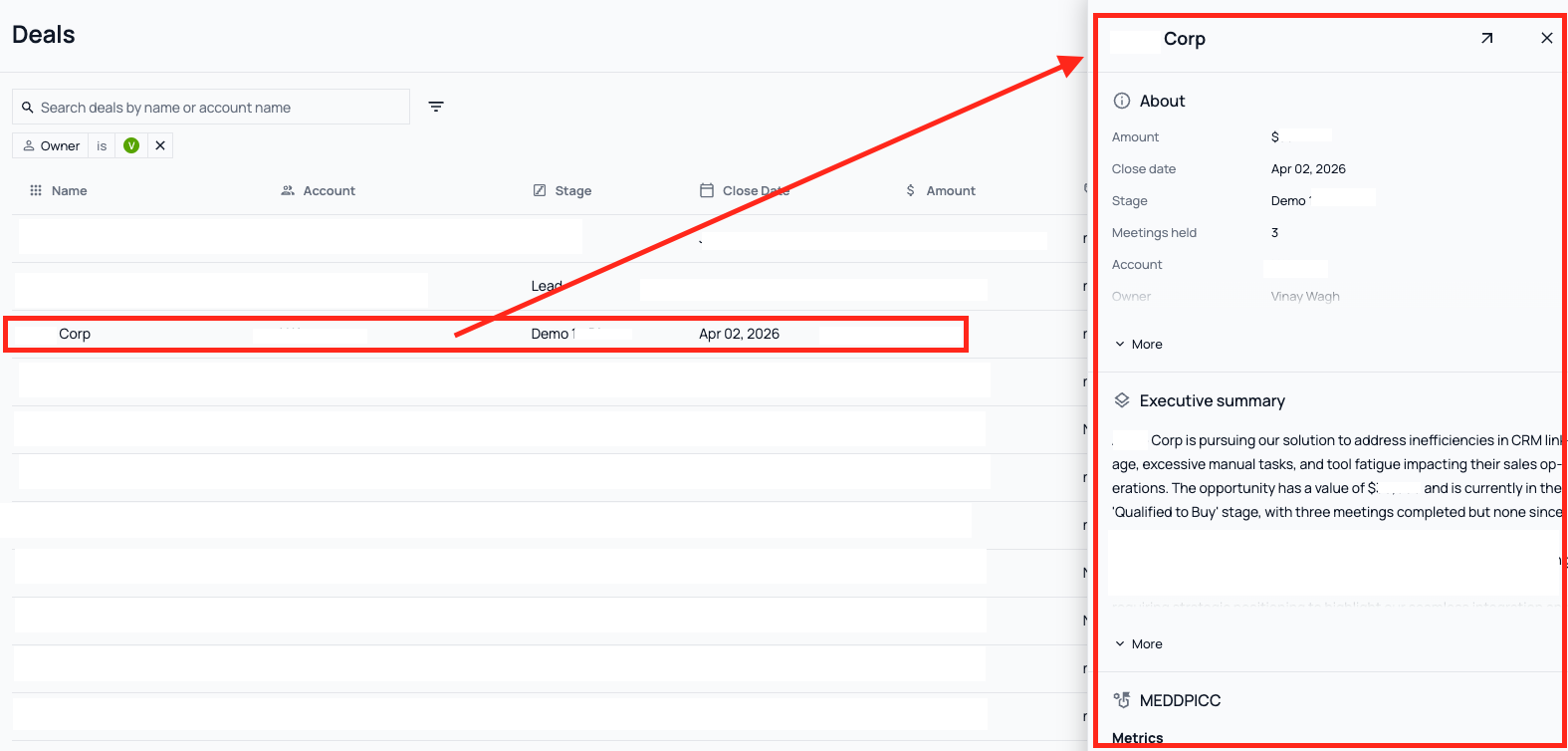
Similarly the Deals page has been updated with its own right-side panel that displays About, Executive Summary, MEDDPICC, Upcoming Meetings, and more sections.
See it in action:
More control over meeting agent participation
Brevian agents can now be invited to or removed from meetings directly from the meeting participant list. This update gives teams flexibility to make last-minute decisions regarding which meetings Brevian should attend or when Brevian should attend, ensuring the right conversations are captured at the right time with the right participants.
See it in action:
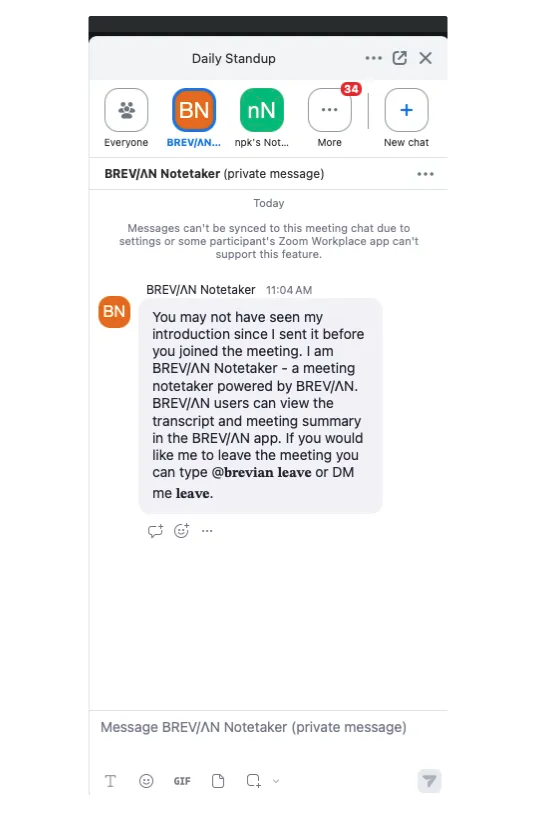
When you access your meeting, the meeting agent will introduce itself and offer instructions on how to remove the agent directly from a meeting: