Brevian Product Pulse for February 5 - 11, 2026
How Brevian is evolving to help sales teams move faster and win smarter.
Overview
This week’s updates focused on giving teams more control and clarity across their deal and meeting workflows. Whether you’re preparing for a follow-up meeting, checking deal status, or navigating a large pipeline, these updates make it easier to surface the right information without extra clicks or searching.
Quickly find meetings by participant
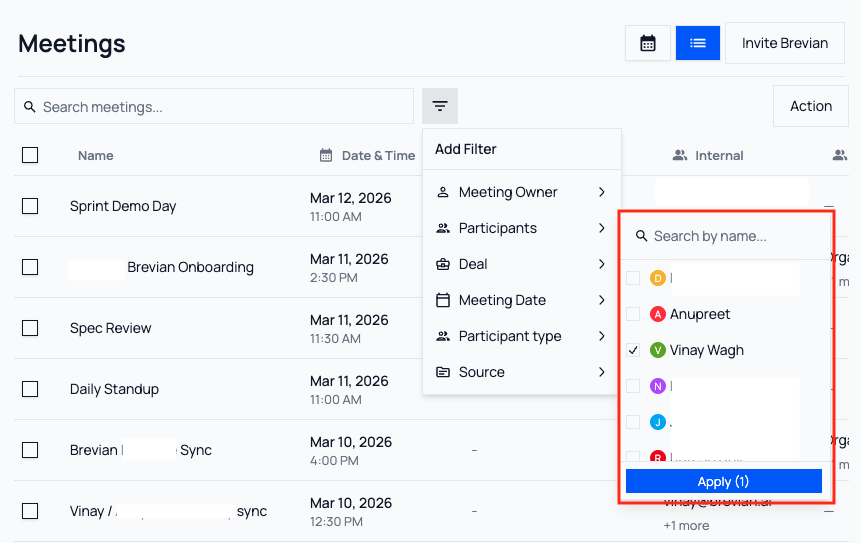
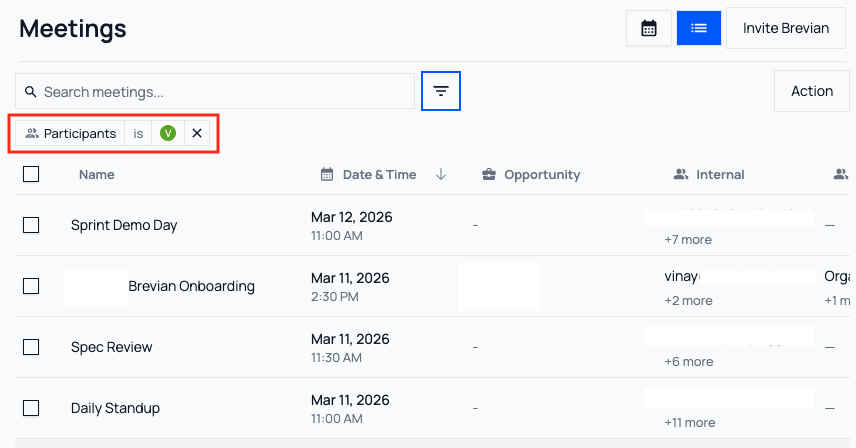
You can now filter meetings, including deal meetings, by participant. This makes it easier to locate conversations involving specific stakeholders across your organization. This update is especially helpful when preparing for follow-up tasks or reviewing previous engagements with key contacts.
See it in action
In the Meetings page, open the filter:
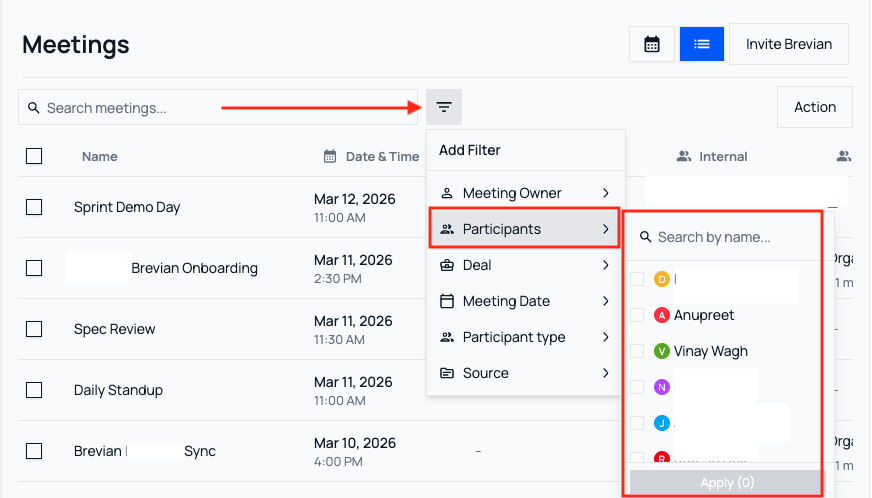
Select the desired participant, and then select Apply:
The Meetings page will update to display only meetings that the selected participant attended:
See your most recent customer interaction at a glance
The Deals page now includes a Last Meeting Date column, so you can instantly see the most recent customer interaction for every opportunity and jump directly into that meeting from the deal entry. This update makes it easier to monitor engagement and prioritize follow-up tasks across your pipeline.
See it in action
In the Meetings page, review the newly added Last Meeting Date column:

Find deal owners faster in large teams
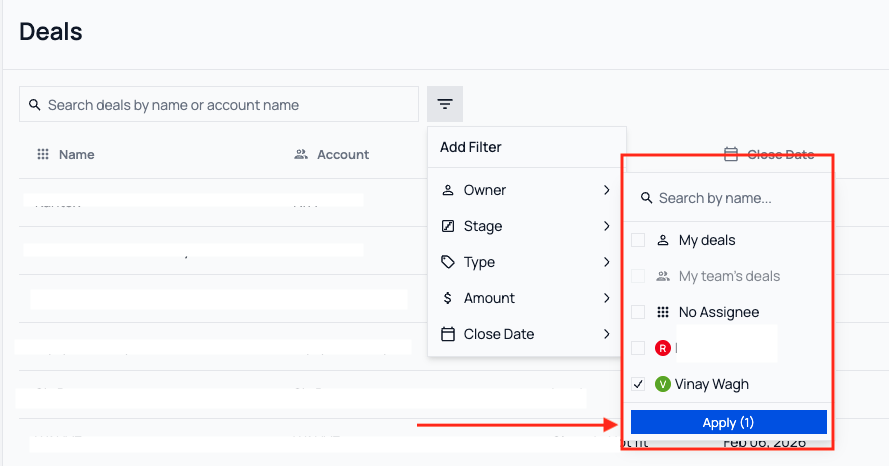
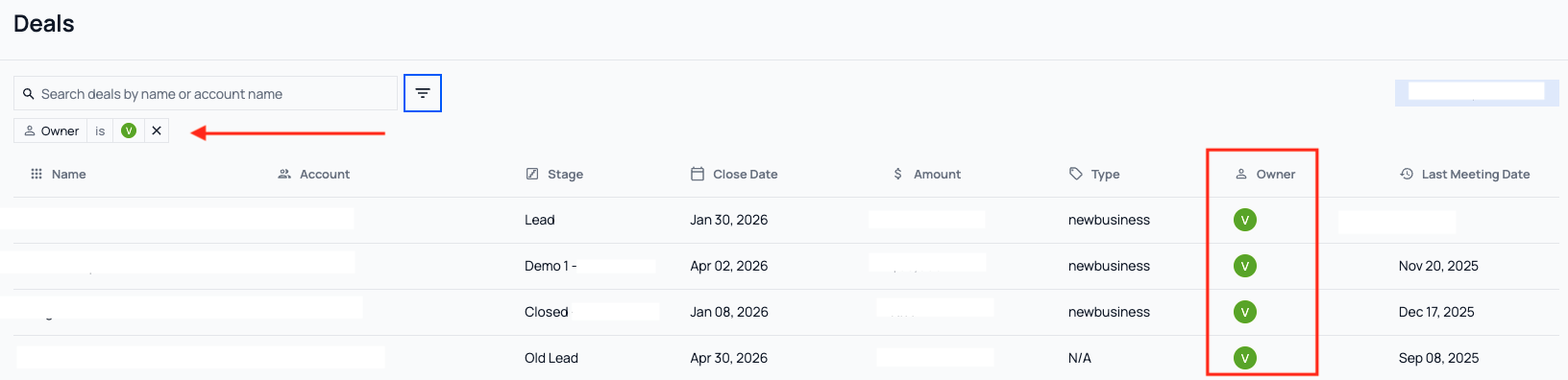
On the Deals page, you can now filter deals by deal owner. Instead of scrolling through long lists, you can quickly find and select the right user, saving time when working across large sales teams.
See it in action
In the Deals page, open the filter:
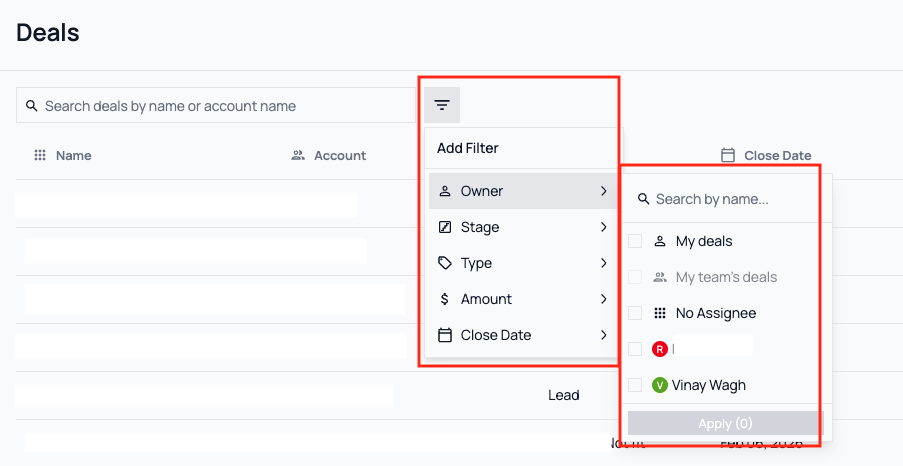
Select the desired deal owner, and then select Apply:
The Deals page will update to only display deals for the selected deal owner:
Additional enhancements across Brevian
We’ve continued refining the Brevian experience across the app with the following updates:
- Fixed dark mode readability issues: Resolved an issue where text and citation elements were difficult to read in dark mode, ensuring consistent visibility and styling across themes.
- Resolved issues with table row selection: Fixed an issue where selecting rows in the Meetings table would behave inconsistently. With this update, row selection now works as intended.
- Resolved issues with chat reset behavior: Fixed an issue where clearing context in a meeting chat would cause unnecessary reloads. With this update, the chat feature now resets correctly without interrupting the conversation experience.