Brevian Product Pulse for February 26 - March 4, 2026
How Brevian is evolving to help sales teams move faster and win smarter.
Overview
This week’s updates focused on making Brevian easier to navigate and easier to understand. From clearer sales terminology to faster ways to move between conversations and deals, these improvements help teams stay oriented as they move through meetings, chats, and pipeline insights.
Search chats within the Agent sidebar
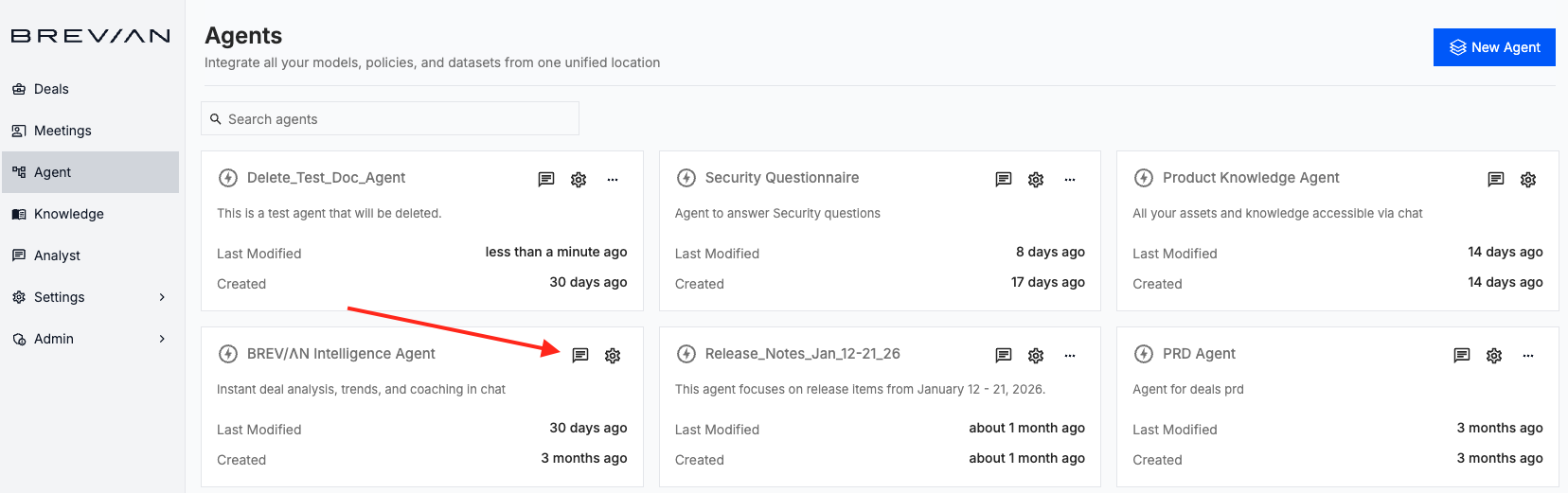
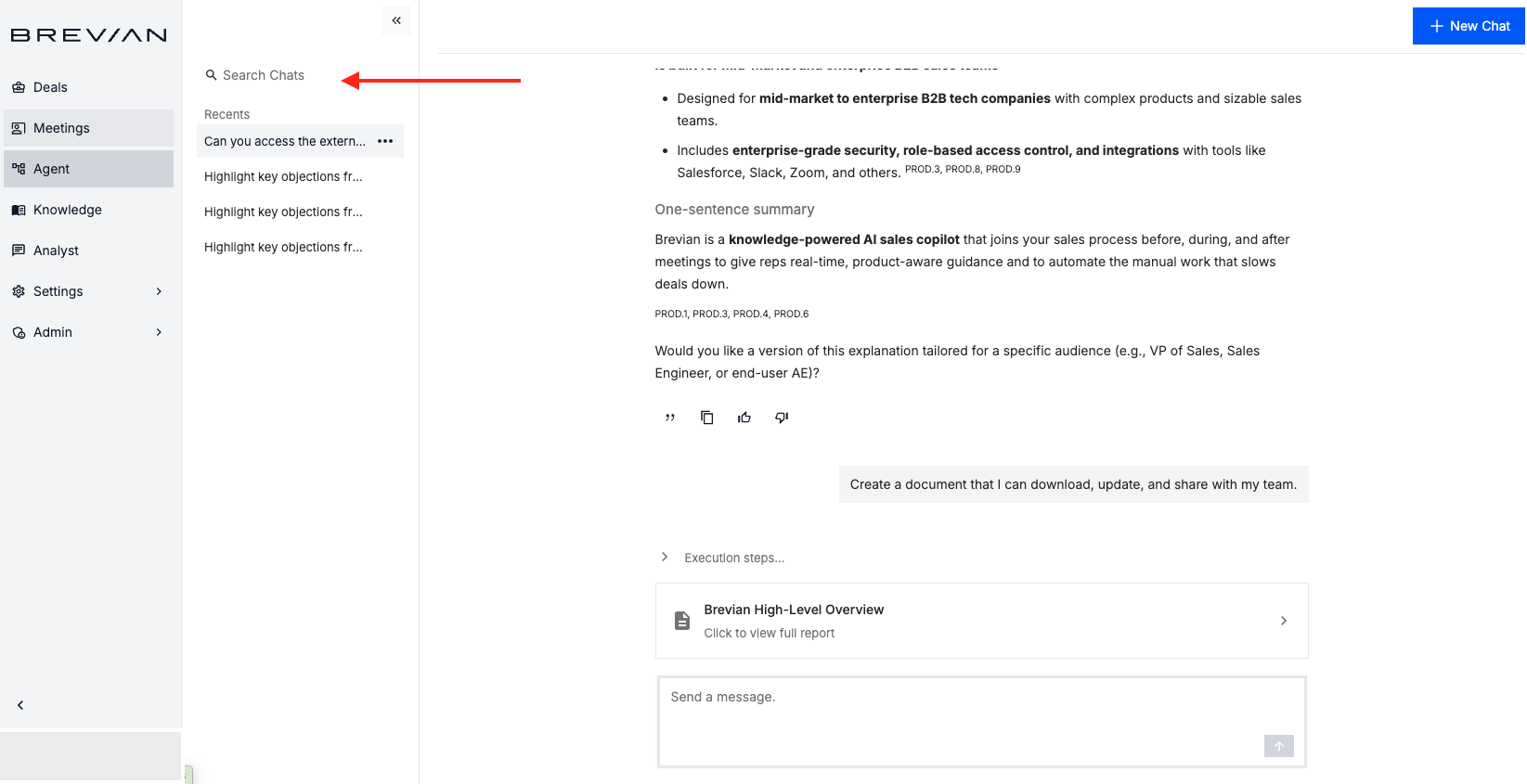
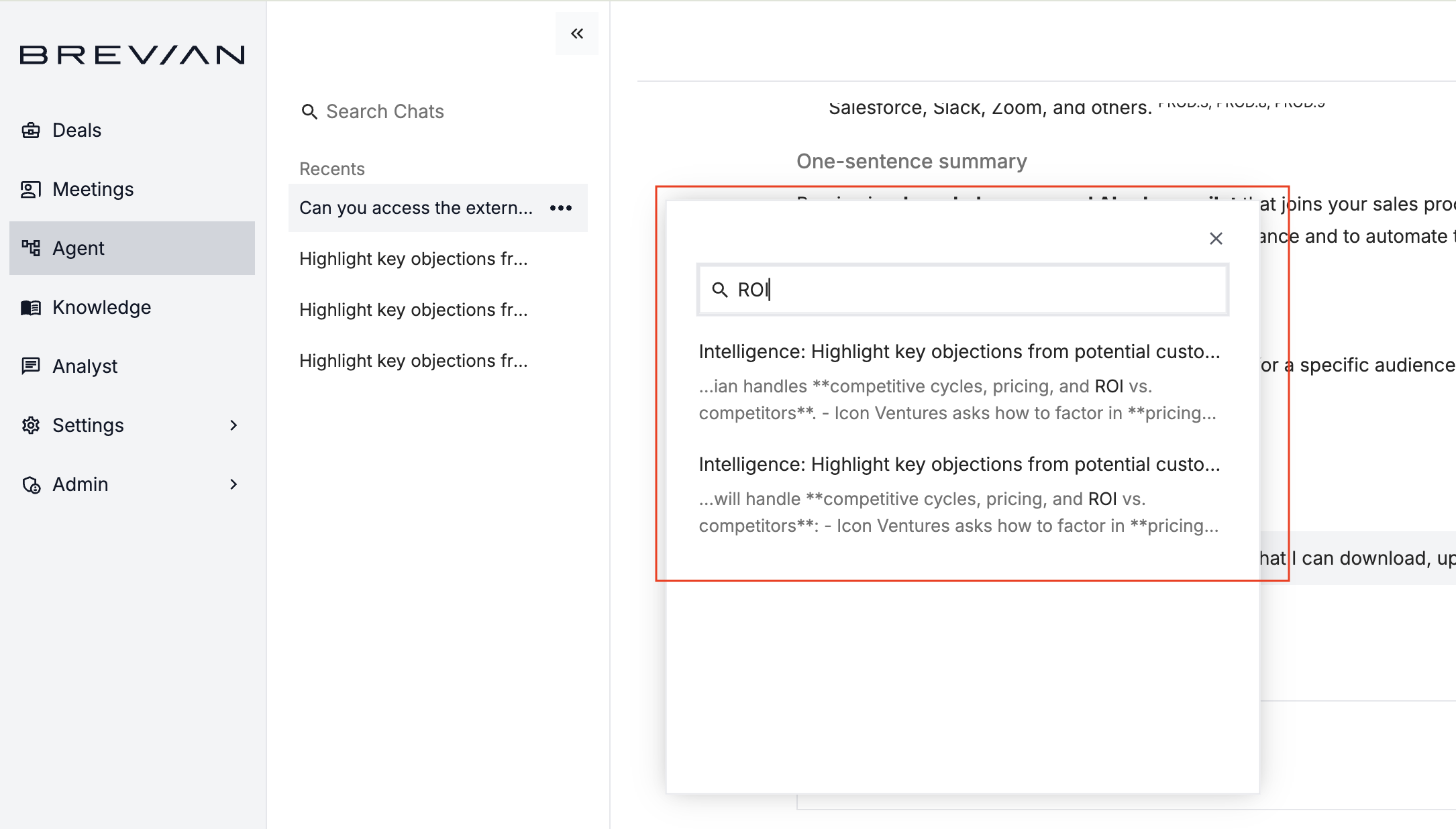
You can now search chats directly from the Agent sidebar, making it faster to find past conversations without manually scrolling through history.
Select the chat icon for the desired agent:
Select the search filter:
Enter your search terms in the popup:
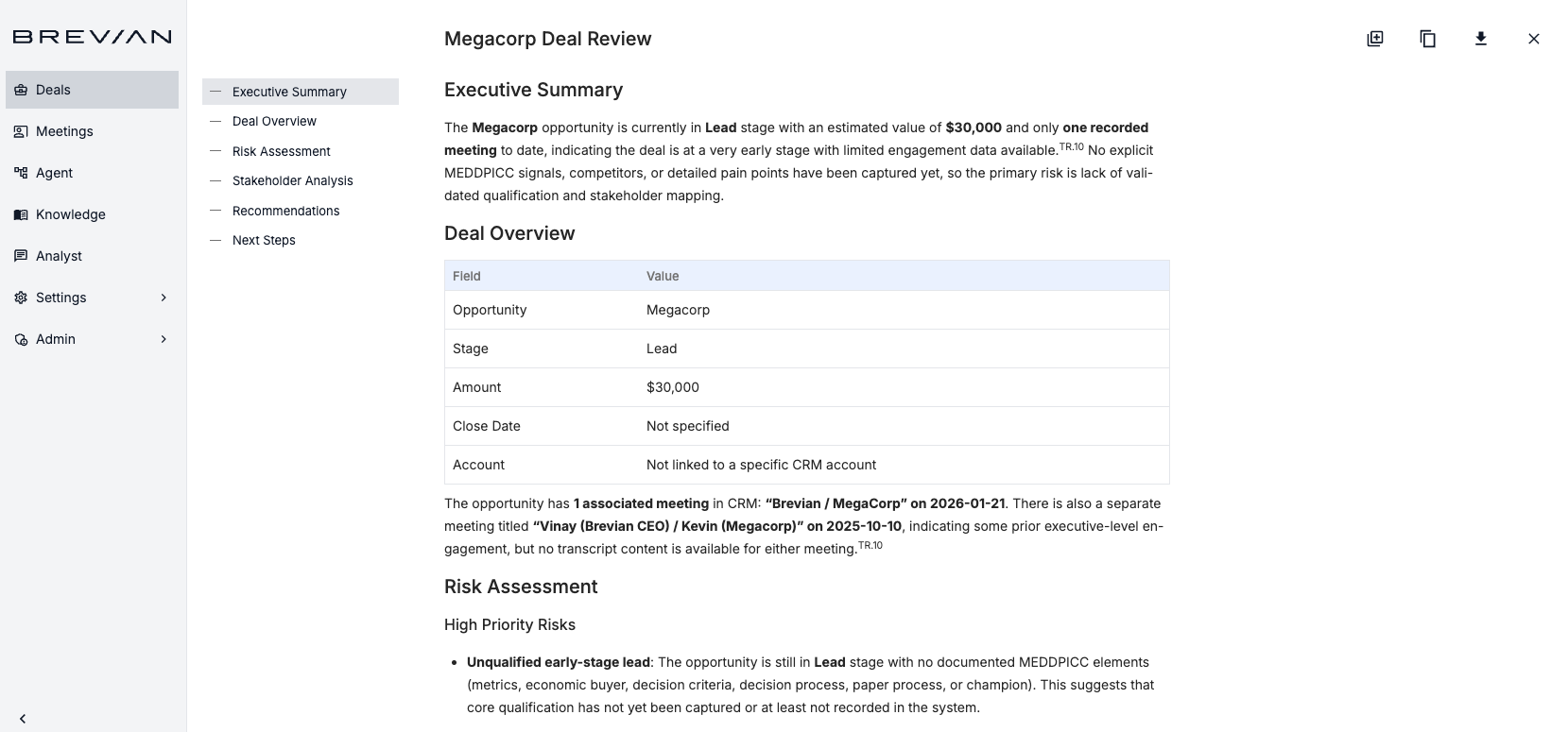
Refreshed page for deal reports
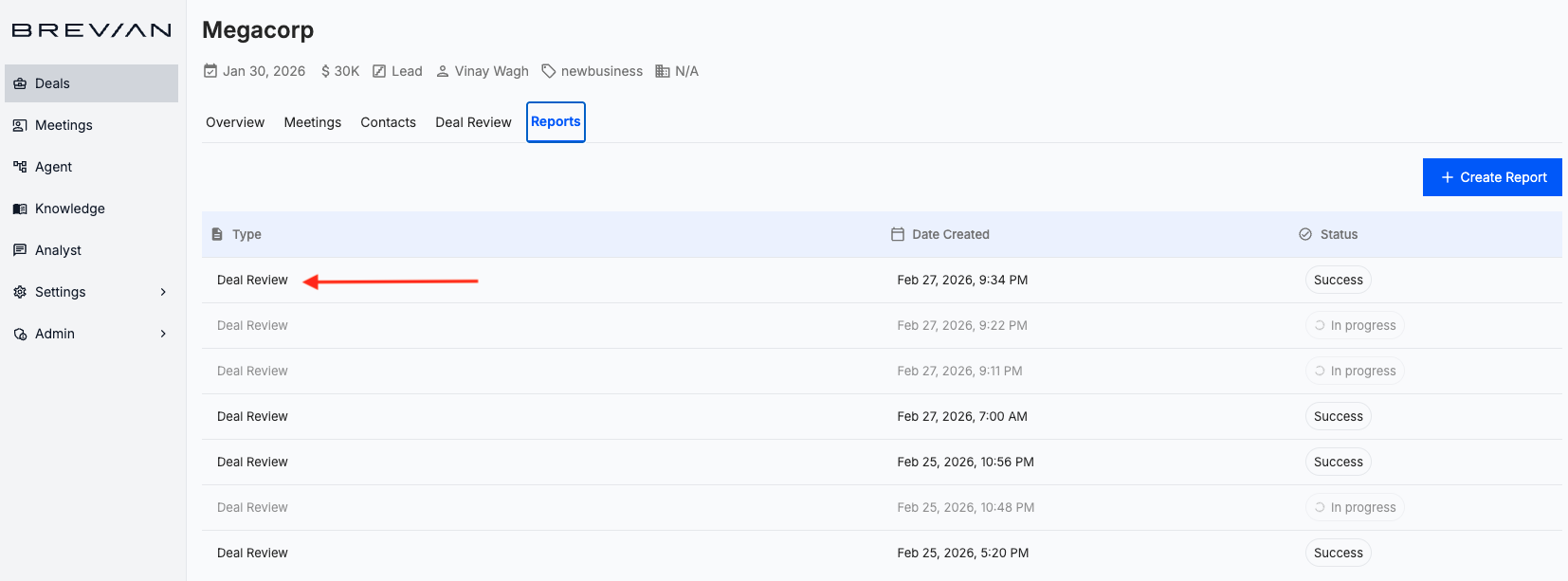
We have updated and refreshed the Deals > Reports page to present key insights more clearly. The updated layout organizes sections, such as deal overview, risk assessment, and supporting insights, into a cleaner, more structured format, making it easier for teams to review deal intelligence and share findings with stakeholders.
Select a report:
You’ll be redirected to the refreshed page for deal reports:
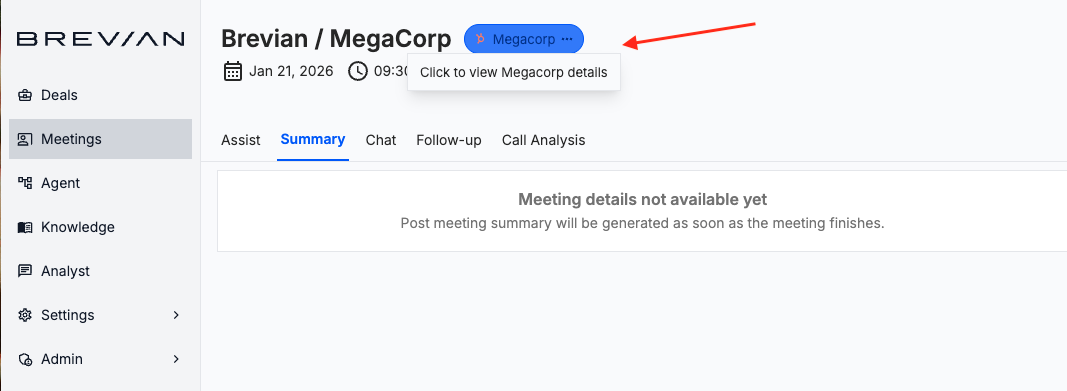
Improved deal / opportunity selector with navigation and tooltips
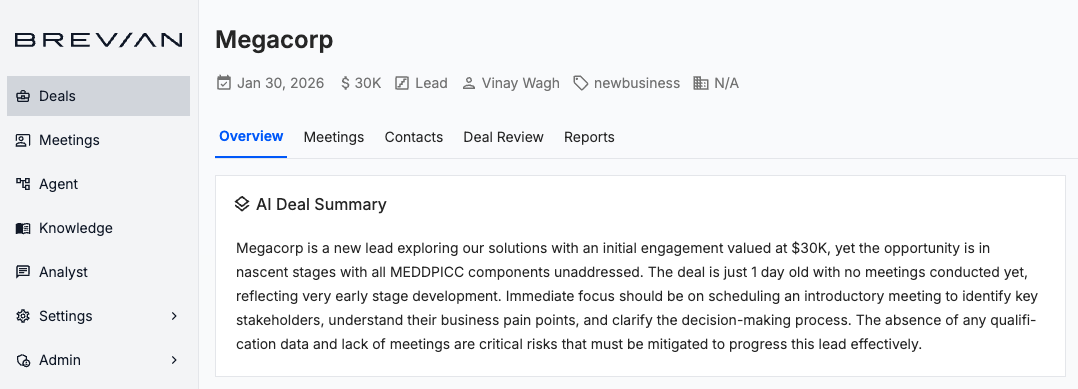
When you’re reviewing meeting details, you can now hover over the corresponding deal / opportunity, where a new tooltip displays to indicate that selecting the deal / opportunity will take you to the Deals details page. This update makes it easier to move from conversation to pipeline context with a single click.
Hover over the deal / opportunity:
Select the deal / opportunity to be redirected to the Deals details page:
“Opportunity” is now “Deal” across the app
In the app, all references of Opportunity have been updated to Deals. This update provides consistent language across meetings, navigation, and reporting, reducing confusion and aligning terminology with how sales teams actually work.