Brevian Product Pulse for March 5 - 11, 2026
How Brevian is evolving to help sales teams move faster and win smarter.
Overview
This week’s updates focused on helping teams move faster from conversation to deal insight. With improved pipeline visibility, synchronized meeting transcripts, and AI-assisted report editing, Brevian makes it easier to review conversations, analyze deals, and take action quickly.
Updated pipeline and deal health views
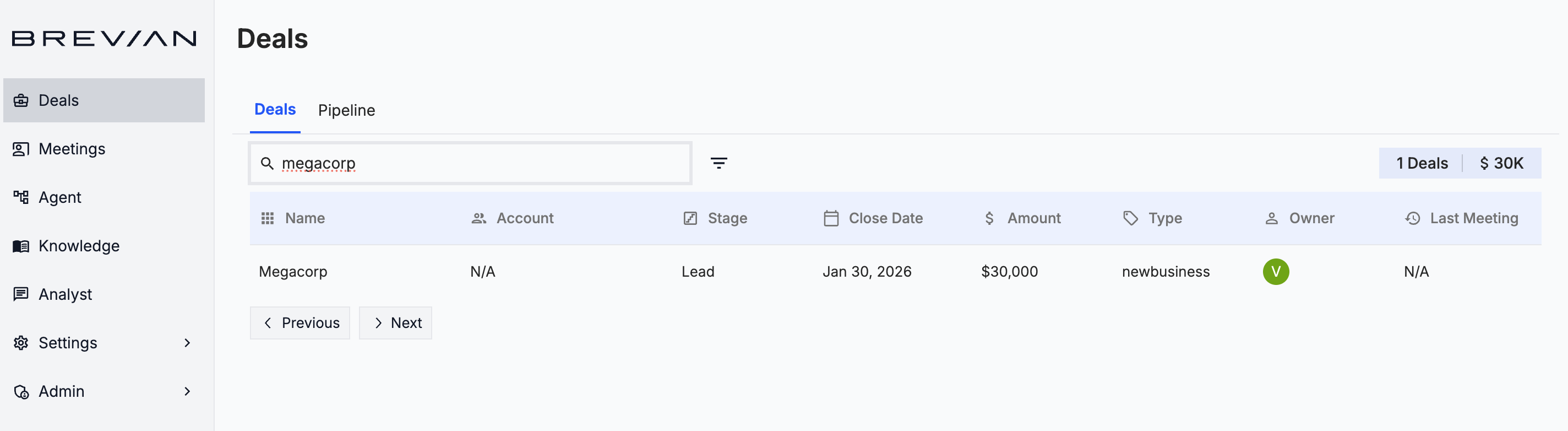
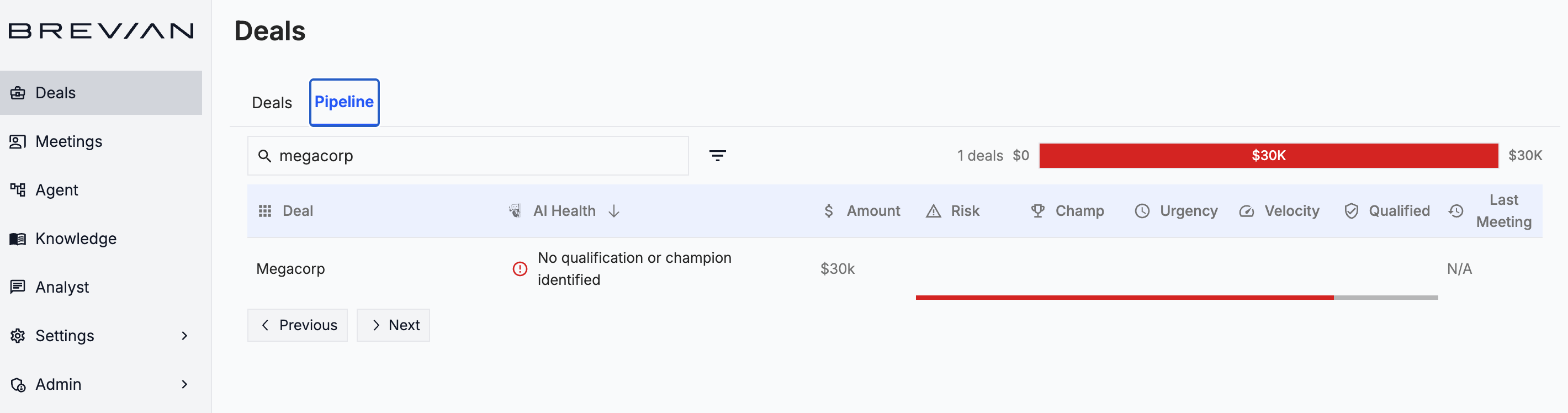
The Deals page has been updated to separate deal health data and pipeline data as two separate tabs. The newly created Deals and Pipeline tabs allow users to easily switch between detailed deal analysis and pipeline visualization.
Review the Deals tab:
Review the Pipeline tab:
Watch meetings and follow transcripts
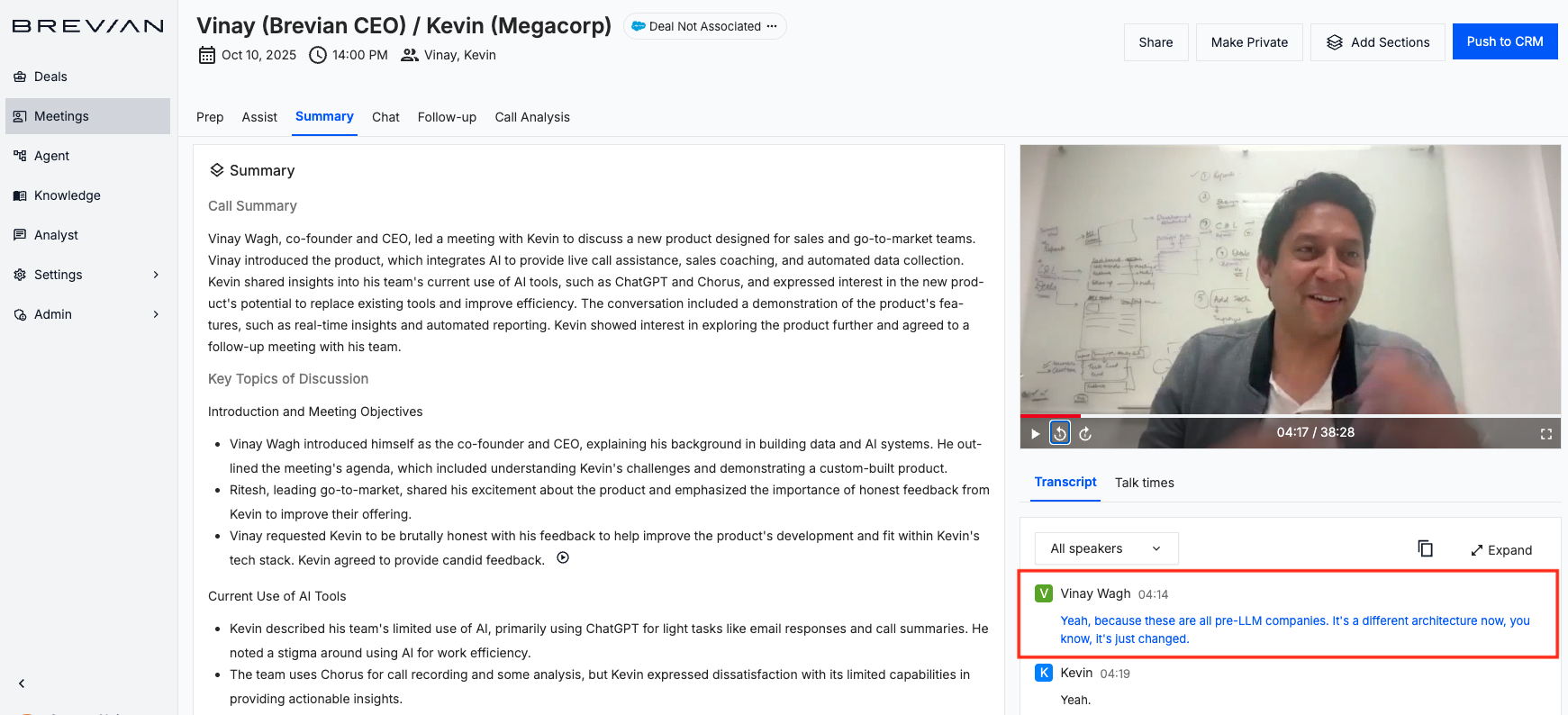
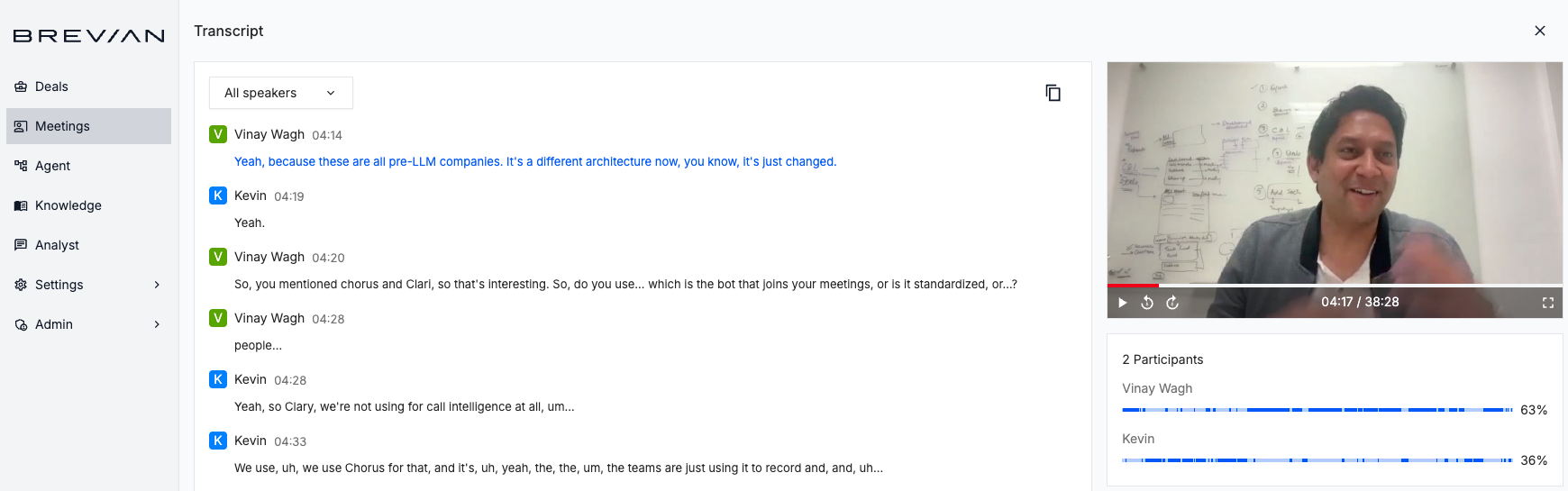
Reviewing meeting conversations is now easier with synchronized transcripts and video playback. As the meeting video plays, the transcript automatically highlights and scrolls to the corresponding statements, helping you follow the conversation in real time and quickly locate important moments.
See it in action:
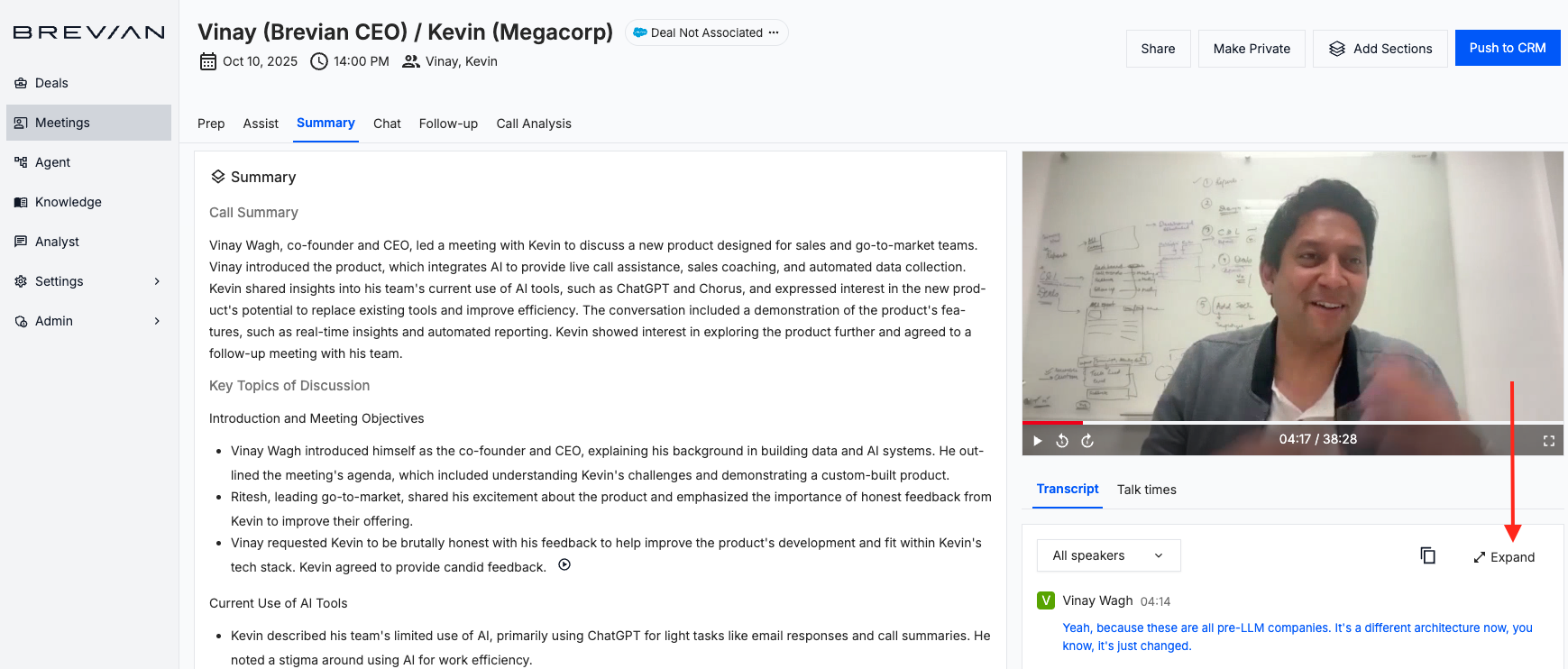
Additionally, you can expand the transcript into a larger window, making it easier to review discussions (especially for longer meetings) without constantly scrolling through a small panel.
In the Meetings detail page, select Expand:
See the expanded (and highlighted) transcript:
Edit deal reports directly through chat
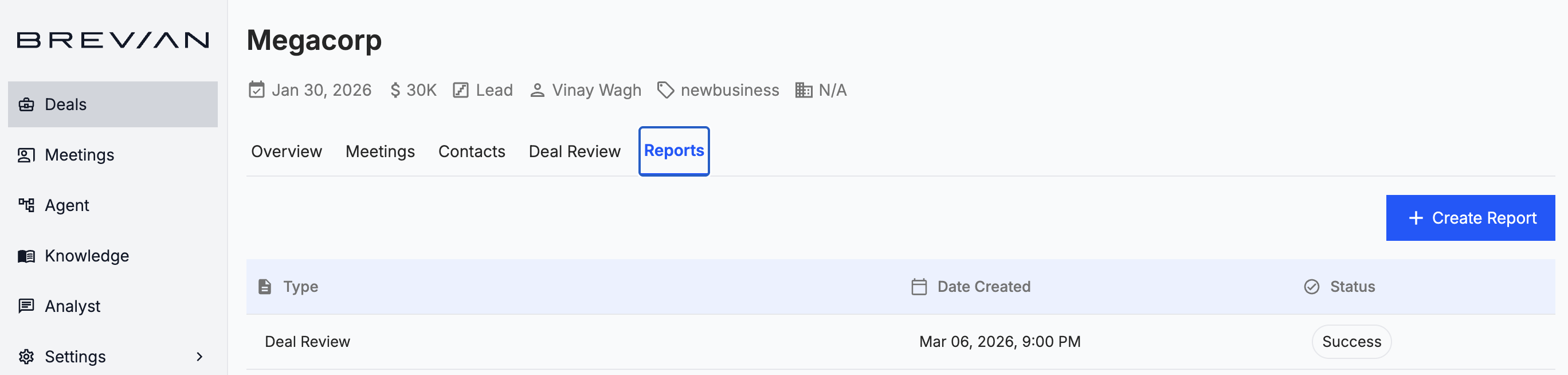
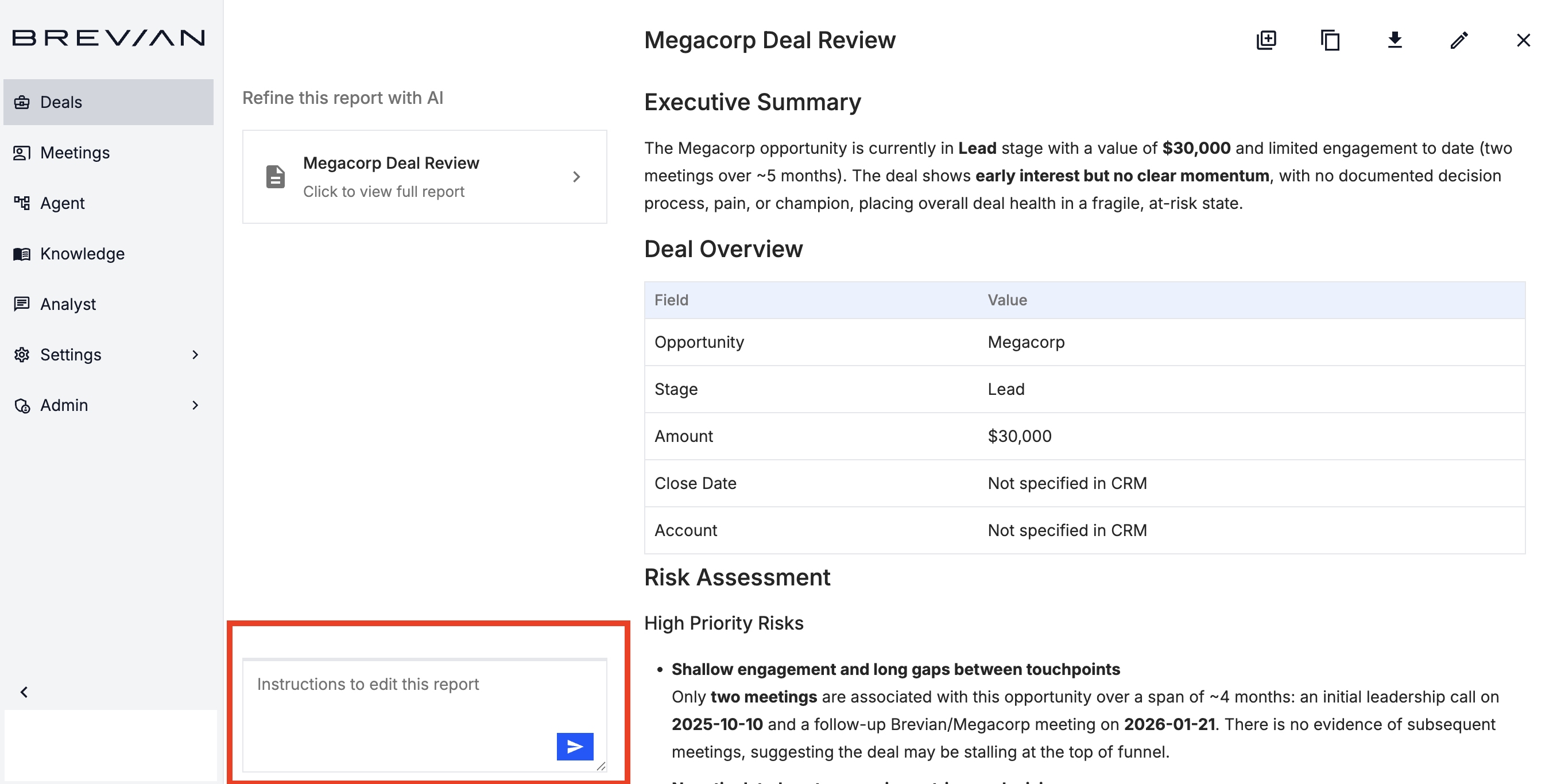
Deal reports can now be updated using the chat feature. Instead of manually editing report sections, you can now instruct the Brevian agent via chat to revise or update content, making it faster to improve summaries, adjust insights, and prepare polished reports for stakeholders.
Go to Deals > Reports, and then select the desired report:
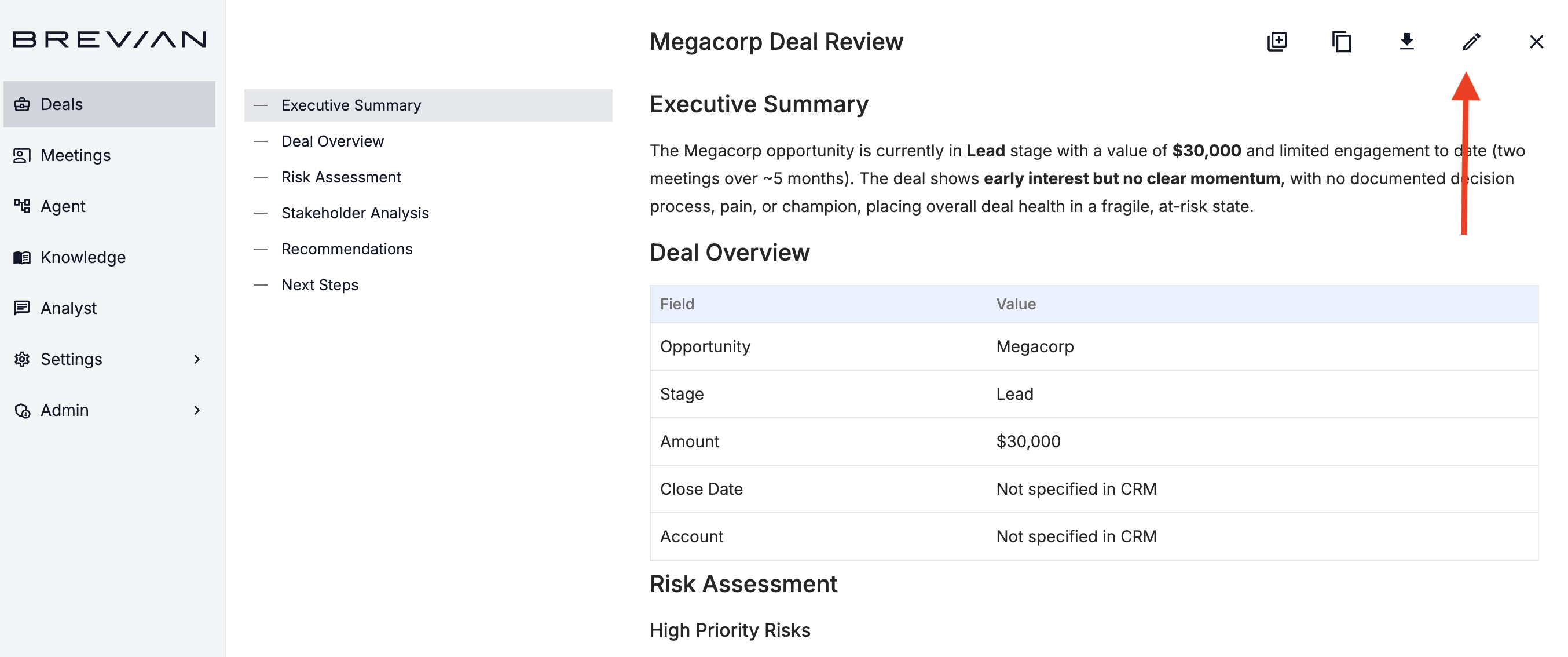
Select the edit icon:
Instruct the chat agent how to update the report:
Additional enhancements
We’ve continued refining the Brevian experience across the app with the following updates:
- Improved how Brevian meeting agents are invited to and removed from meetings.
- The MEDDPICC section within the Deals page has been simplified to a view-only experience, resolving editing-related issues and ensuring the information reflects insights generated from meetings and analysis, and not from manual edits.
- Fixes have been implemented to ensure conversations generated by system processes, such as automated report chats, are correctly saved.