Brevian Product Pulse for March 12 - 18, 2026
How Brevian is evolving to help sales teams move faster and win smarter.
Overview
This week’s updates focus on making the Brevian app more intelligent, focused, and action-oriented. With the introduction of AI Health, teams can instantly understand deal risk and momentum, while updated layouts on the Meetings and Follow-up pages reduce noise and make it easier to act on insights.
New AI-powered deal health
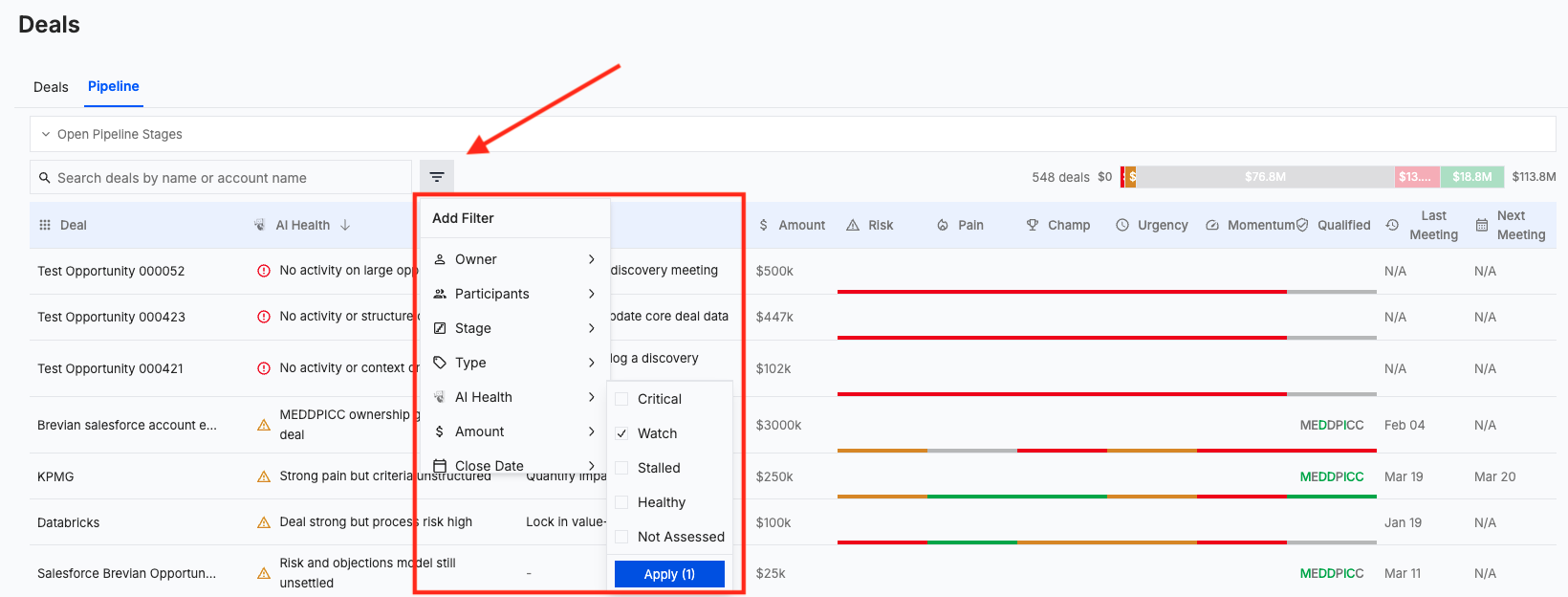
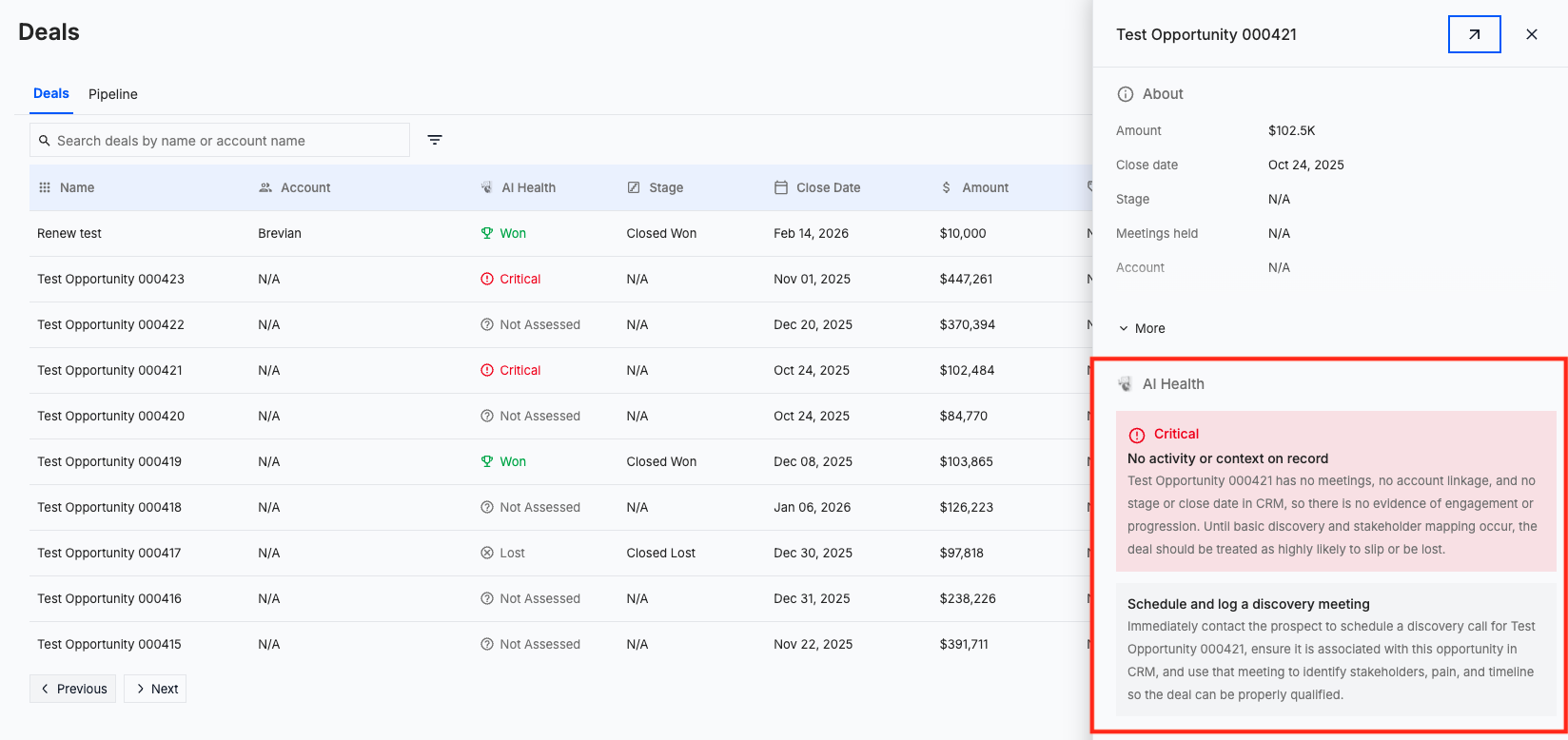
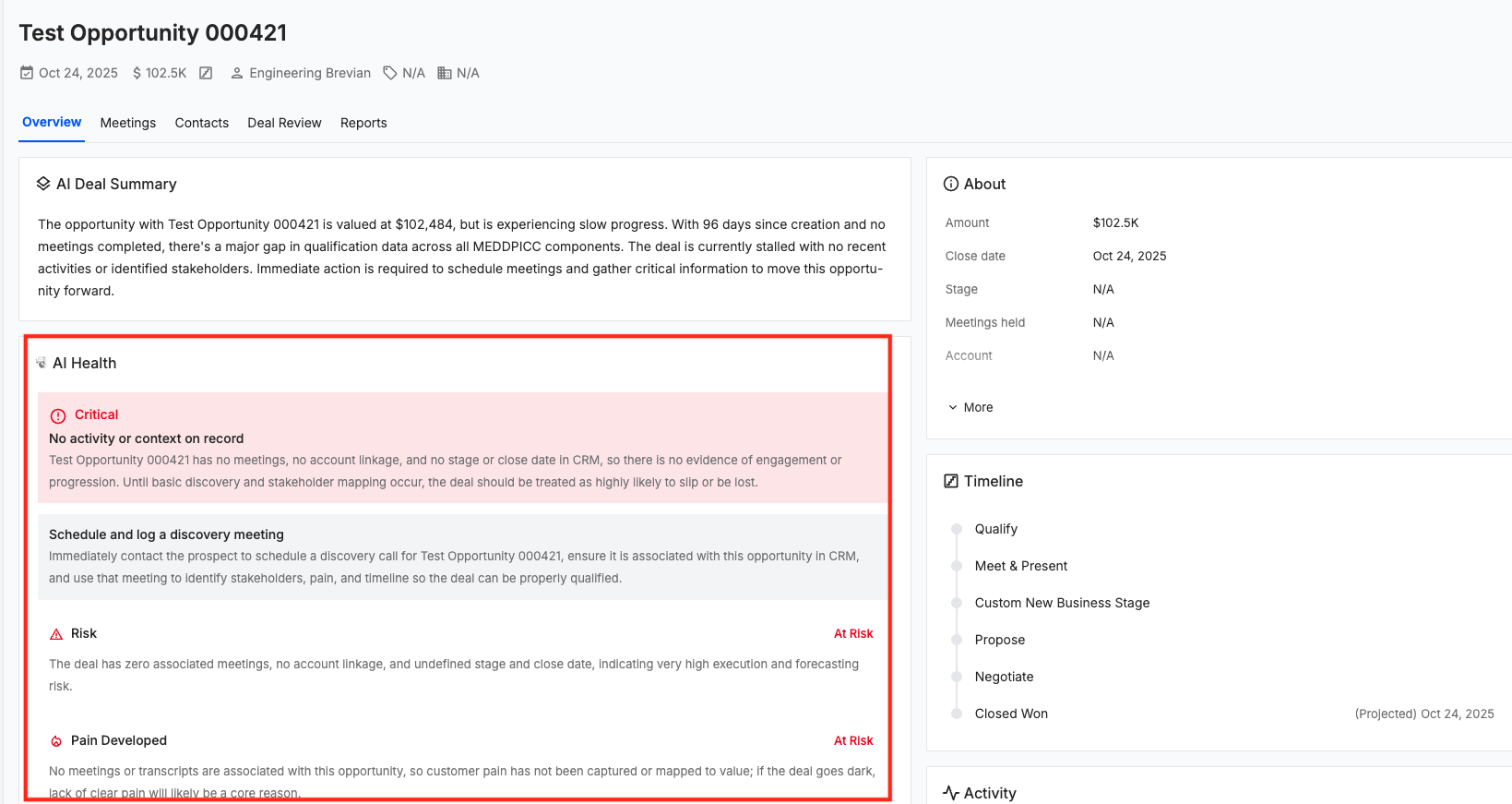
We have updated the Deals and Pipeline pages to display a new scoring category called AI Health.
AI Health highlights key signals, such as risks, gaps, and areas that need attention, helping you to quickly understand deal status and to take the appropriate next steps.
See it in action:

Within the Deals and Pipeline pages, you can also filter based on an AI Health category, which includes Critical, Watch, Stalled, Healthy, Not Assessed.
See it in action:
AI Health also displays when you access the right-side menu for a specific deal:
AI Health also displays when you access the details page for a specific deal:
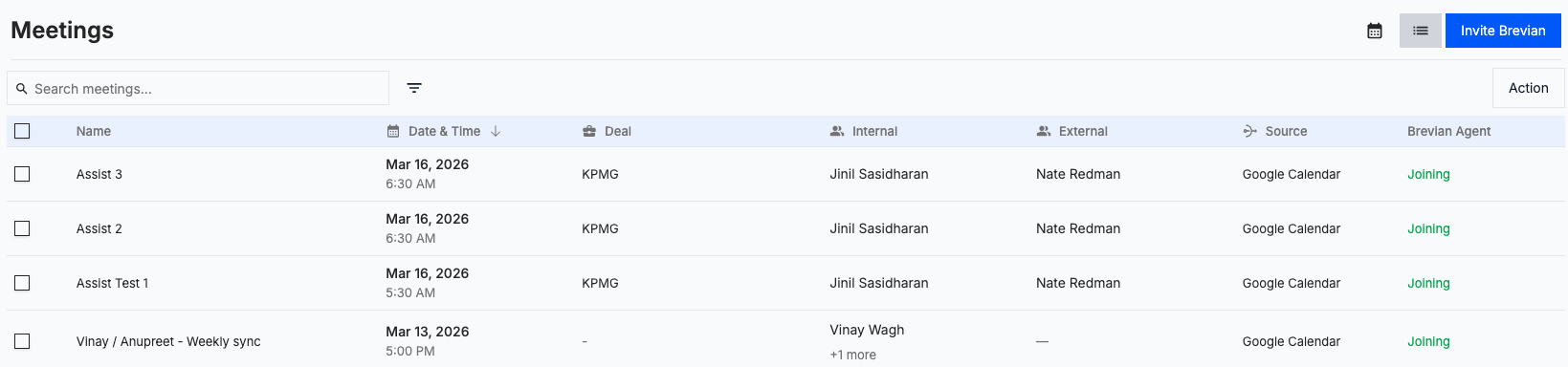
Updated layout for Meetings page
The Meetings page has been updated to offer a more simplified experience. To achieve this, we removed the right-side menu to reduce visual noise, making it easier to scan and interact with meetings.
See it in action:
Updated layout for follow-up emails
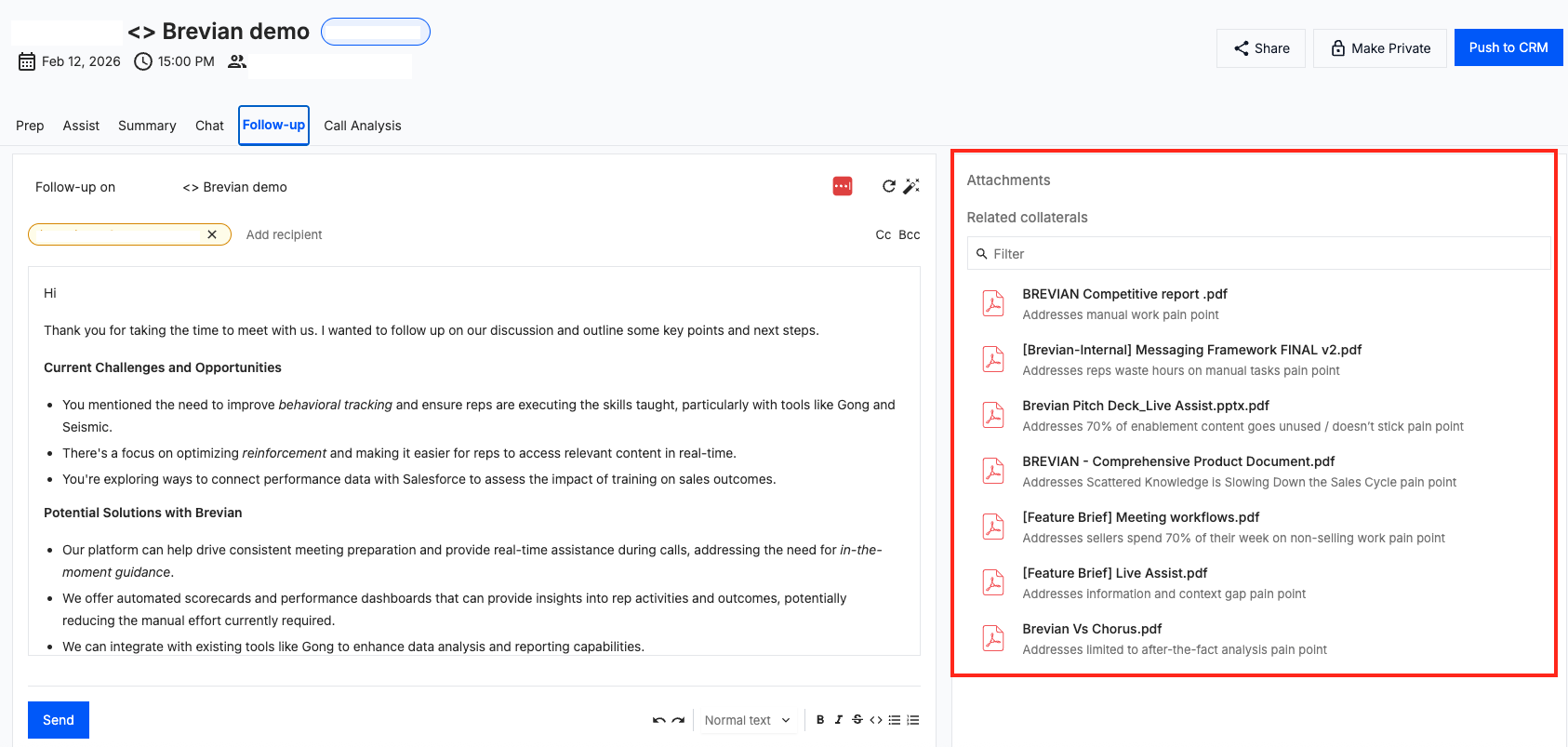
The Follow-up tab, specifically, the Attachments menu, has been redesigned to address excessive blank space in an effort to improve the user experience.
See it in action:
Additionally in the Follow-up tab, we made backend improvements to the email experience so that the tool responds better to natural, human instructions. This update makes it easier to iteratively refine emails using chat, without needing overly specific prompts.